
What AI Makes the Dancing Hamster Videos? (Models, Motion Transfer & Prompts)
Wondering what generation or AI model creates those hyper-fluffy 3D spotlight hamsters? Here is the exact motion-transfer pipeline and visual formula.
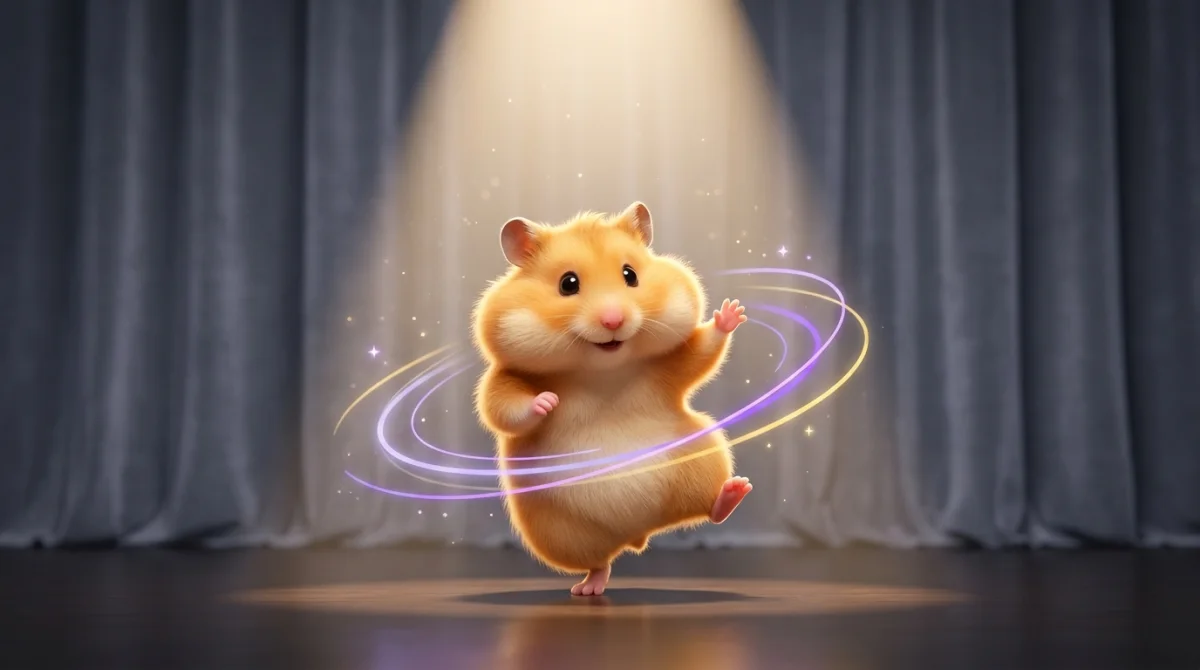
Viral 2026 AI dancing hamster videos are produced by two AI video pipelines: (1) AI Motion Transfer, which copies exact choreography from a real human dance clip onto a hamster image, and (2) Image-to-Video prompt models that animate a pet photo directly from text directions.
1. What Generation of AI Creates Fluffy Dancing Hamsters?
If you have searched "what generation is the AI hamster" or "what app makes the dancing hamster videos," you are looking at the 2025–2026 wave of motion-controlled video diffusion models (often referred to as third- and fourth-generation video models).
Earlier 2023–2024 video models struggled badly with rapid dancing: limbs melted, fur flickered between frames, and faces drifted off-model within two seconds. Modern motion-transfer and character-consistent video engines lock the subject’s facial identity and fur texture while following a reference skeleton or motion field at a steady 24fps.
2. The 5-Layer "Spotlight Stage" Visual Formula
Look closely at breakout creators like @pokkoofficial and you will notice why their hamster dances look like mini Pixar shorts instead of blurry AI artifacts. They simplify the scene so the model dedicates maximum visual fidelity to the hamster:
- 1Clean character anchor: One centered, front-facing subject with distinct eyes, ears, and paws.
- 2Warm 4500K overhead spotlight: Creates soft rim highlights across fluffy fur so motion reads clearly.
- 3Minimalist backdrop: Neutral grey velvet curtains or a clean cream studio wall prevent background warping.
- 4Controlled 24fps cadence: Gives the clip cinematic weight without jittery micro-stutters.
- 5Short 5–15 second choreography: Keeps energy high and avoids long-horizon identity drift.
3. Motion Reference Video vs. Text Prompt: Which Should You Use?
Both approaches work inside AI Hamster Dance, and each shines in different scenarios:
| Feature | Photo + Dance Video | Photo + Prompt |
|---|---|---|
| Best for | Exact TikTok dance trends & specific choreography | Fast loops, PPT outros, Baby Boo shy moves, creative scenes |
| Inputs needed | 1 pet photo + 1 short dance reference video (2–15s) | 1 pet photo + 1 prompt preset (or custom text) |
| Clip length | Full 15s vertical 9:16 MP4 | Flexible 5s, 10s, or 15s vertical 9:16 MP4 |
| Setup effort | Auto-optimized to 720p 24fps in browser before upload | One-click presets (Disco, Baby Boo, PPT Bow, Hip-Hop) |
4. Skip the Raw Parameters—Use Hamster AI Directly
Setting up raw diffusion pipelines yourself usually means wrestling with aspect-ratio padding, video codec mismatches, frame-rate jitter, and trial-and-error prompting. AI Hamster Dance wraps the entire workflow into one browser-friendly studio: we automatically normalize reference clips to 720p 24fps H.264 right in your browser, pair them with curated spotlight choreography prompts, and deliver ready-to-share vertical MP4s.
Use Hamster AI directly on our homepage—upload one photo, pick a dance vibe or reference video, and get a clean 9:16 clip in minutes.
Frequently Asked Questions
Do I need Blender, After Effects, or a gaming GPU to make an AI hamster dance?
No. Everything runs in the cloud through your browser. You only need a pet photo (and optionally a short dance video clip).
Why does AI Hamster Dance optimize reference videos to 720p and 24fps?
Phone recordings in 4K/60fps are huge and can cause motion jitter or slow uploads. Normalizing client-side to 720p 24fps H.264 keeps upload speeds fast and gives the AI model clean, stable motion cues.
Is there a subscription required to try it?
No subscriptions or auto-renewals. Credit packs are one-time purchases starting at $4.99, and purchased credits never expire.